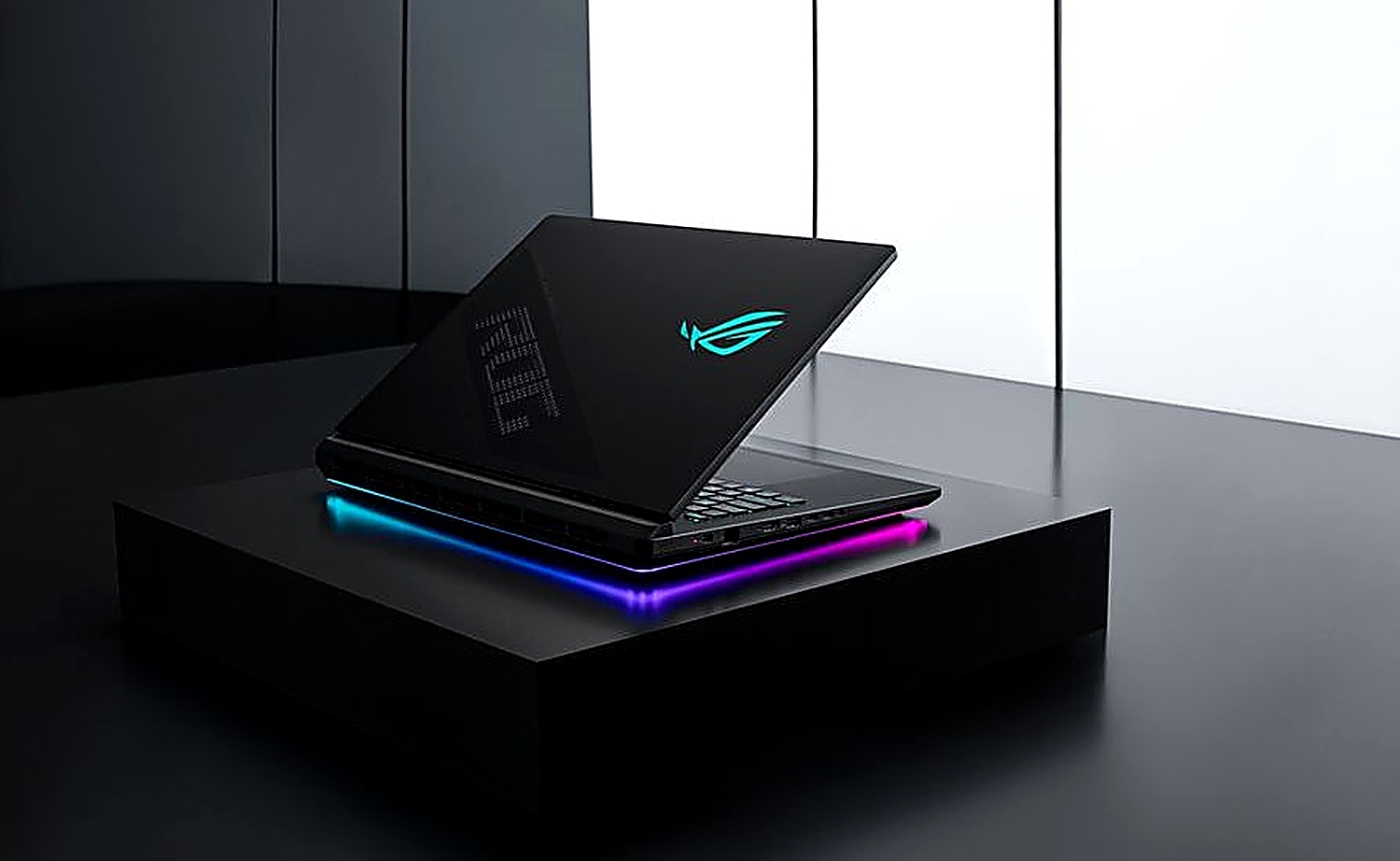
Does your current gaming laptop feel like a dusty relic from a bygone era, even though you bought it last year? It’s a rhetorical question, of course, because that’s the relentless pace of this industry. ASUS, bless its ambitious heart, has just dropped the ROG Strix SCAR 18, and the PR machine is working overtime hyping its brand-new 240Hz Mini LED display with something they’re calling ROG Nebula ELMB. Sounds fancy, right? It better be, considering the flagship configuration is packing an Intel Core Ultra 9 290HX Plus and, wait for it, an RTX 5090 mobile GPU. Yeah, you read that right. The folks at ASUS are clearly aiming for the stratosphere, or at least for the wallets of gamers who believe more frames and brighter pixels are the ultimate measure of a good time.
The big ticket item here is that 18-inch panel. ASUS is touting it as the first 18-inch gaming laptop with a 240Hz refresh rate and Mini LED technology. The claim is superior motion clarity, courtesy of this ROG Nebula ELMB, which sounds suspiciously like another acronym designed to sound important. But let’s not dismiss it outright. Mini LED means more local dimming zones – over 2000, they say – and a claimed 1600 nits of peak brightness. For the uninitiated, that’s supposed to translate to some seriously impressive HDR performance and eye-popping contrast. Add 100% DCI-P3 color gamut coverage and G-SYNC compatibility for tear-free gaming, and on paper, this display should be a stunner. The real question, as always, is whether the practical experience matches the marketing spiel.
Beyond the shiny screen, we’re looking at some serious silicon. The aforementioned Core Ultra 9 290HX Plus is a step up from previous models, and pairing it with an RTX 5090 mobile GPU is, well, overkill for most. ASUS also suggests there will be less eye-watering configurations, but doesn’t offer specifics. Memory-wise, we’re talking up to 128GB of DDR5 at a zippy 6400 MT/s, and for storage, dual PCIe Gen 5.0 SSDs can be configured up to a whopping 8TB. Connectivity gets a boost too, with dual Thunderbolt 5 ports, promising serious bandwidth improvements.
Now, let’s talk about the nitty-gritty that actually matters to someone who might, you know, own this thing. ASUS claims easy access to internals with a tool-less bottom panel for RAM and SSD upgrades. The ROG Q-Latch for the SSDs sounds like a thoughtful touch, eliminating those tiny screws that always seem to vanish into the ether. WiFi 7 and a 2.5G LAN port round out the connectivity. And the battery? A hefty 90Wh. But let’s be real: plug in an RTX 5090 and fire up Cyberpunk at max settings, and that 90Wh will evaporate faster than a politician’s promise.
So, who is actually going to buy this? Let’s cut through the noise. ASUS is not selling this to the average gamer. This is for the bleeding-edge enthusiast, the benchmark chaser, the person who sees a $4000+ price tag as a badge of honor. The company hasn’t even coughed up a precise price, but it’s safe to assume this flagship config will cost more than a decent used car.
Is the 240Hz Mini LED Display Worth the Hype?
The technology itself isn’t new, but its implementation on a laptop at this refresh rate is certainly noteworthy. Mini LED offers superior contrast and brightness over traditional IPS panels, thanks to its granular local dimming capabilities. For games where vibrant colors and deep blacks are crucial – think cinematic adventures or dimly lit horror titles – this panel could offer a tangible visual upgrade. The 240Hz refresh rate, combined with Extreme Low Motion Blur (ELMB) technology, aims to deliver exceptionally smooth and crisp motion. For competitive esports players, where every millisecond counts and motion clarity is paramount, this could be a significant advantage. However, the true test will be in real-world usage, looking for potential blooming artifacts or other compromises often associated with Mini LED implementations, and whether the human eye can truly discern the difference between 120Hz and 240Hz in gaming scenarios outside of pure objective measurement.
The Cost of Peak Performance
Let’s not sugarcoat it: flagship gaming laptops are expensive. The inclusion of an RTX 5090 mobile GPU alone places this device in a rarefied air. When you layer on a cutting-edge Mini LED display, advanced cooling systems necessary to manage such powerful components, and the premium build quality ASUS typically employs in its ROG line, the price escalates rapidly. The expectation of a price well north of $4000 for the top-tier configuration is not unreasonable. This positions the ROG Strix SCAR 18 not as a mainstream gaming machine, but as a luxury item for those who demand the absolute best and have the financial means to acquire it. It’s a device that chases theoretical performance ceilings, and its price reflects that pursuit.
One thing that keeps nagging at the back of my mind is the relentless iteration cycle. We saw Mini LED on some laptops a few years back, and while promising, it was often marred by battery drain and high costs. Now ASUS is pushing it again, faster and brighter, with an equally relentless push for higher refresh rates. It feels like we’re always chasing a spec that, for the average user, hits diminishing returns long before it hits the retail shelf. The jump from a 144Hz or even a 165Hz display to 240Hz is perceivable, yes, but is it worth the inevitable battery penalty and a price tag that could fund a small country’s tech infrastructure? It’s a question ASUS isn’t particularly interested in answering, as long as the order books are full.
ASUS calls it the first 18-inch gaming laptop feature 240 Hz Mini LED display that brings ROG Nebula ELMB (Extreme Low Motion Blur). As per ASUS, the ELMB delivers superior motion clarity, and thanks to the mini LED technology that delivers over 2000 dimming zones, 1600 nits of peak brightness, and HDR support, the display is going to deliver amazing visual fidelity in games and video content.
The question isn’t just about whether this laptop can do these things, but whether it should be doing them in this form factor. Mini LED, especially with aggressive local dimming, is power-hungry. Combined with an RTX 5090 and a high-end Intel CPU, this machine is going to suck juice like a thirsty black hole. Expect short battery life, even when unplugged for anything less than browsing the web. And as for thermals? ASUS is usually pretty good here, but pushing components this hard in a laptop chassis always comes with compromises, whether it’s fan noise or thermal throttling under sustained load.
Ultimately, the ROG Strix SCAR 18 is a showcase. It’s ASUS flexing its engineering muscles and pushing the boundaries of what’s possible in a portable gaming machine. For the select few who can afford it and crave that absolute peak performance, it might be the ultimate gaming laptop. For the rest of us, it’s a tantalizing glimpse into the future, with a price tag that firmly keeps it out of reach for now.
🧬 Related Insights
- Read more: Fake DDR5 RAM Hits Market as Prices Surge
- Read more: AI Takes Chip Dashboards to Warp Speed
Frequently Asked Questions
What is ROG Nebula ELMB? ROG Nebula ELMB is ASUS’s marketing term for its Extreme Low Motion Blur technology, integrated with their Mini LED displays to enhance motion clarity in gaming.
Will this laptop replace my desktop PC? While the ROG Strix SCAR 18 offers desktop-class performance, its portability and the inherent limitations of laptop cooling and power delivery mean it’s unlikely to be a complete replacement for a high-end desktop for all users, especially those focused on sustained, extreme workloads or maximum upgradeability.
What are the main benefits of a Mini LED display on a gaming laptop? Mini LED displays offer significantly better contrast ratios and higher peak brightness compared to traditional LCDs due to their advanced local dimming capabilities, resulting in more vibrant HDR content and deeper blacks.