This isn’t just another cooler review. We’re talking about what it means for your wallet, your sanity during builds, and whether you can really push your CPU without emptying your bank account. For too long, the narrative has been: good cooling costs good money. Arctic is throwing a wrench into that, and it’s worth paying attention to why.
For the uninitiated, Arctic has a reputation. They’re the folks behind those ridiculously over-engineered Liquid Freezer AIOs that make your CPU sing like a choir of angels. But not everyone needs a full-blown, liquid-cooled opera house for their silicon. Many systems, especially in the realm of mid-tier gaming rigs or productivity workhorses, just need a solid, reliable air cooler that doesn’t sound like a jet engine and, more importantly, doesn’t cost a fortune.
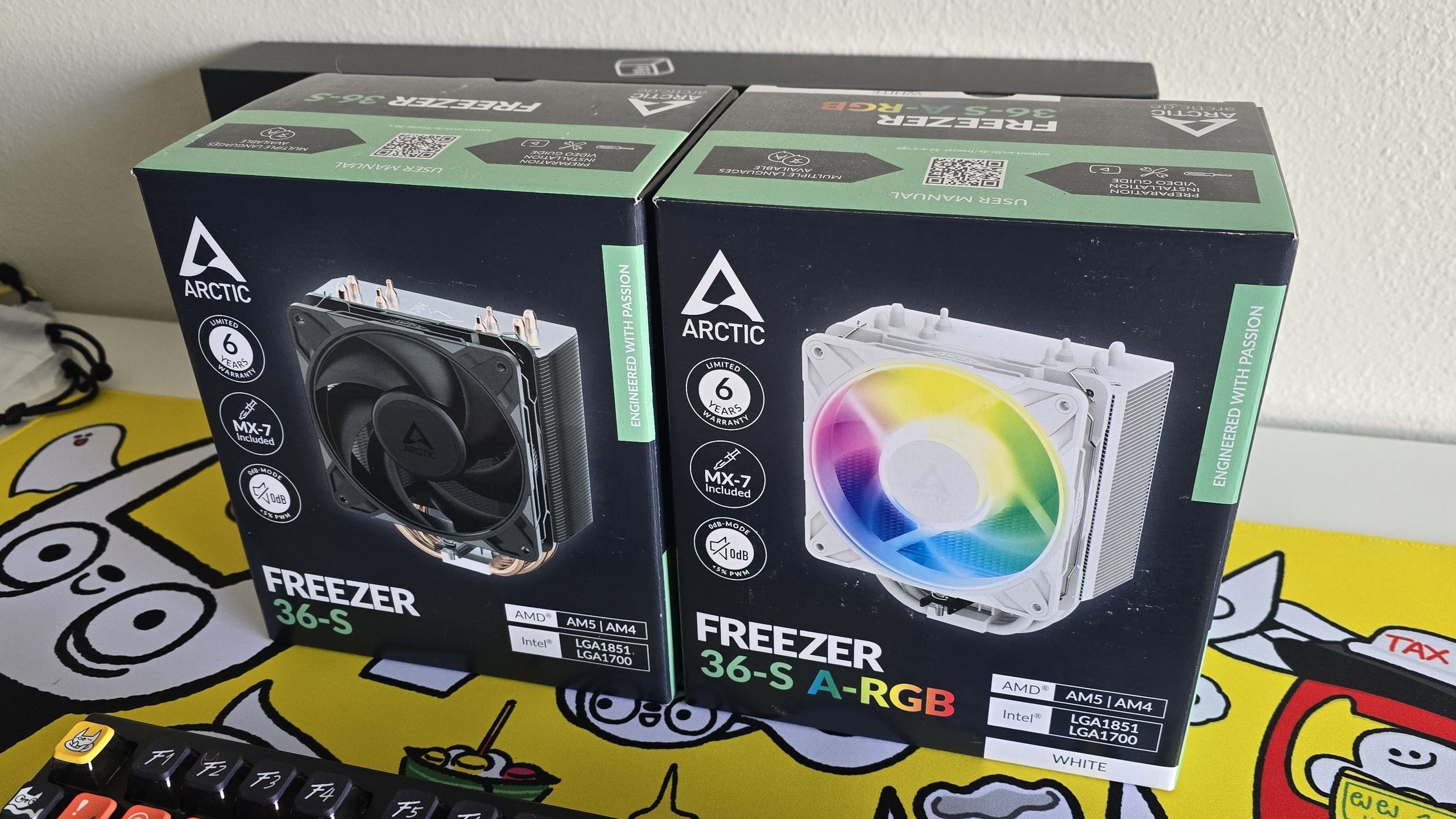
And that’s precisely where the Freezer 36-S slots in. It’s a single-tower, single-fan affair, sporting four direct-touch heatpipes. For less than thirty bucks. That’s the hook. But the real question isn’t what it is, it’s how it achieves this on paper, and more critically, if it holds up when you actually put a hot CPU under it. Because let’s be honest, a cheap cooler that throttles your rig faster than a politician dodges a question is no bargain.
The Architecture of Austerity
What Arctic has done here is focus on the fundamentals. You’ve got those four copper heatpipes, arranged to make direct contact with your CPU’s Integrated Heat Spreader (IHS). This isn’t exactly new tech, but the execution matters. They’re staggered, a small detail that helps ensure the heat transfer across the entire CPU die is more even. It’s not the fancy nickel-plated copper you see on premium coolers, but for this price point, it’s a smart compromise.
The heatsink fins themselves are a fairly standard design, not overly dense, which is important because it means the included fan doesn’t have to fight against an insurmountable wall of metal. And speaking of the fan, this is where Arctic gets interesting. They’ve slapped one of their P12 Pro fans on this thing. And these aren’t your garden-variety case fans. We’re talking speeds up to 3000 RPM, a claimed airflow of 77 CFM, and a static pressure rating that Arctic claims is two to three times stronger than typical fans. That’s a lot of wind for a cooler this size.
But here’s the kicker for Intel users: a contact frame. Arctic includes an anti-bending frame. Now, this is a double-edged sword. On one hand, it’s a thoughtful addition to combat CPU bending — a very real, albeit rare, problem with modern, larger CPU designs and stiff mounting pressure. On the other hand, installing these can be fiddly. Improper installation can lead to… well, problems. For a budget cooler aimed at potentially novice builders, this adds a layer of complexity that might be more stress than it’s worth.
“However, using one of these frames is not without risk during the installation process. Improper installation can lead to RAM instability and other problems. It’s not the best option for novice builders.”
This quote from the original review hits the nail on the head. It’s a feature that could be beneficial, but the risk-reward calculation for someone just trying to get their PC running might be skewed.
Does it Actually Cool? The Real-World Test
The crucial part, of course, is performance. Arctic claims it can handle CPUs like AMD’s Ryzen 9 9950X3D with a Thermal Design Power (TDP) of over 245W. That’s a bold claim for a single-tower cooler that costs less than a decent steak dinner. My own tests on AMD’s AM5 platform, specifically with the Ryzen 9 9950X3D, showed the Freezer 36-S punching significantly above its weight class. It wasn’t matching the behemoths, naturally, but it was consistently outperforming many dual-tower coolers that cost twice as much, and it kept the CPU temperatures well within acceptable limits under load. The P12 Pro fan, while audible at its max RPM, did an admirable job of moving air.
The installation on AMD AM5 was, thankfully, straightforward. Swap out the stock mounting mechanism for Arctic’s included brackets, apply the included MX-7 thermal paste (another nice touch, even if it’s just a small tube), seat the heatsink, and clip on the fan. Easy enough. Intel installation, as noted, adds that extra step with the contact frame, which, depending on your comfort level, could be a minor headache or a welcome reassurance.
Is This the End of High-End Cooler Dominance?
No, not quite. Let’s not get carried away. This isn’t going to replace your Noctua NH-D15 for extreme overclocking on a Threadripper. But that’s not what it’s for. The Freezer 36-S represents a significant shift in what we can expect from the entry-level segment. It suggests that manufacturers are getting smarter about thermal design, focusing on efficiency and airflow rather than just brute force metal and fan size. It’s about extracting more performance from less material, a concept that should resonate with anyone trying to build a capable PC on a budget.
For the average gamer, or someone building a workstation for photo editing or light video work, this cooler is more than adequate. It offers quiet operation at idle and manageable noise levels under load, all while keeping your CPU from melting. It’s a proof to how far basic air-cooling technology has come, and a strong signal that you don’t need to spend a fortune to keep your CPU happy.
Who is the Arctic Freezer 36-S For?
This cooler is aimed squarely at budget-conscious builders, users with mid-range CPUs that don’t require extreme overclocking, and those looking for a quiet upgrade over stock coolers without breaking the bank. It’s also a great option for small form factor builds where larger coolers simply won’t fit. If you’re building a secondary PC, a budget gaming rig, or a home server, this is definitely worth considering.
🧬 Related Insights
- Read more: Memory Crunch to Last Past 2026 [Micron Warning]
- Read more: 2025’s Semiconductor Odyssey: Diamonds in Chips, Stamped Silicon, and the CHIPS Act Implosion
Frequently Asked Questions
What’s the main advantage of the Arctic Freezer 36-S?
The main advantage is its exceptional price-to-performance ratio, offering cooling capabilities typically found in more expensive coolers for under $30.
Do I need the Intel contact frame?
While the contact frame can help ensure consistent thermal performance on Intel systems, especially under heavy loads, its installation can be tricky. It’s recommended for users comfortable with more complex installations; otherwise, you might skip it if you’re new to PC building.
Will this cooler work with my new AMD Ryzen CPU?
Yes, the Arctic Freezer 36-S supports AMD’s AM5 platform, and installation on these systems is generally straightforward.