So, your precious Nvidia Control Panel is finally getting the digital heave-ho. After two decades of digital hand-holding, Nvidia is pushing its new Nvidia App as the sole gatekeeper for driver updates and graphics tweaking. What does this mean for your rig, your games, and your sanity? Well, buckle up. It means change, and as we all know, change is often less about convenience and more about corporate mandates disguised as progress.
For most folks, this is essentially a non-event. You probably haven’t touched the Control Panel in years, relying on GeForce Experience for all your auto-optimization needs. Now, Nvidia is just folding those features into a single, shiny (we hope) app. They’ve been migrating features for ages, so this is less a surprise and more a slow, inevitable march towards consolidation. They finally got around to pulling the plug.
Is the Nvidia App Really Better?
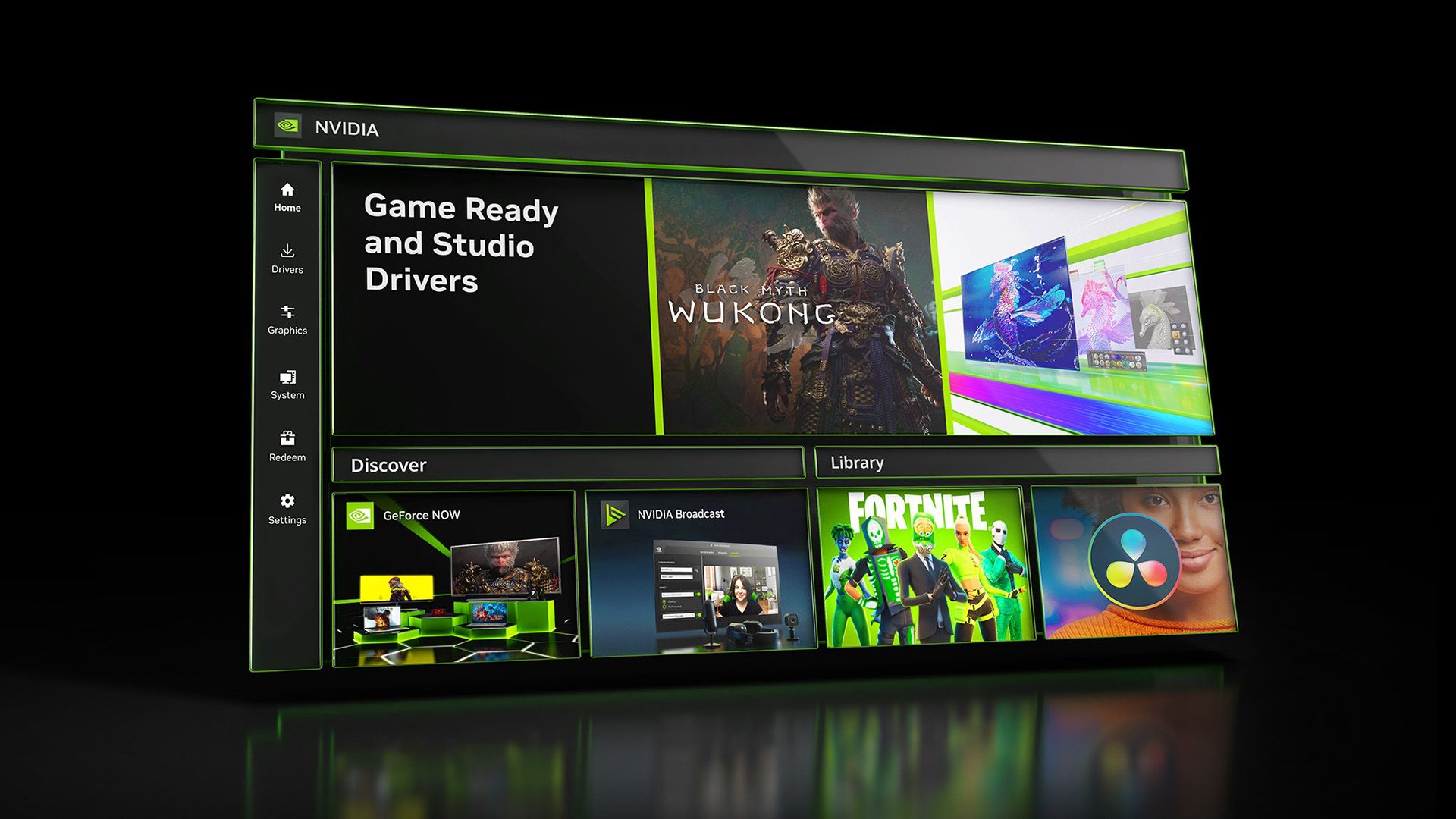
Nvidia claims the Nvidia App consolidates everything. Driver updates, game optimizations, GPU monitoring, recording — it’s all supposed to be there. They’ve been migrating the 3D Settings and Multi-Monitor options over, so eventually, there’s not much reason to cling to the old ways. The app supposedly offers offline control, which is a nice touch, especially if you’re ever wrestling with a flaky connection. But let’s be honest, “supposed to be” is the operative phrase here. We’ve all seen shiny new apps launch with more bugs than features.
The Control Panel is going into “maintenance mode.” You won’t be forced onto ancient drivers to keep it, and future updates won’t nuke it unless you do a “clean install.” It’ll even hang around on the Microsoft Store. This is Nvidia being… dare I say it… considerate? Or perhaps just hedging its bets in case the new app implodes spectacularly. A smart move, if true. It’s certainly better than a swift, brutal shutdown that leaves users stranded.
This whole saga feels a bit like Nvidia finally realizing they needed to match AMD’s Adrenalin software. The Adrenalin panel has been getting more love for years, and Nvidia’s old-school Control Panel was starting to look like it belonged in a museum. It took them how long to catch up? Twenty years is an eternity in tech. It’s almost funny when you consider how much R&D goes into making things look new rather than actually be fundamentally better.
For the vast majority of GeForce users, there is virtually no reason to use the Nvidia control panel anymore or keep it installed. The Nvidia App has all the features you need to tune and optimize games for GeForce GPUs.
Look, the old panel was functional, if visually challenged. Now, it’s just… there. A ghost in the machine. The real question is whether the Nvidia App will be more than just a facelift. Will it actually make your life easier, or just give you another piece of software to manage? We’ve seen this play out before. Companies ditching perfectly good, albeit dated, software for something new and often less intuitive. It’s the tech cycle. Embrace it, or get left behind.
And yes, for those on RTX Pro cards, the Control Panel will stick around longer. Nvidia’s apparently migrating those “professional features” over. So, the holdouts get a bit more time. For the rest of us? It’s the Nvidia App or bust.
What Does This Mean for My Game Settings?
This is where the rubber meets the road. If you’ve spent hours meticulously tuning your graphics settings in the Nvidia Control Panel, you’ll need to replicate those preferences in the Nvidia App. Nvidia claims most settings have been migrated, but nuances can get lost in translation. Don’t be surprised if you need to re-tweak things post-migration. That’s the usual fallout from this kind of consolidation. It’s a migration, not a miracle.
So, while the old Control Panel is on its deathbed, its spirit — and hopefully its functionality — lives on in the Nvidia App. Let’s just hope this new app doesn’t introduce more headaches than it solves. History, as they say, often repeats itself, and software transitions aren’t always pretty. This isn’t just about ditching an app; it’s about how we interact with our hardware. And for that, Nvidia’s new app is our new, and only, reality.
🧬 Related Insights
- Read more: Nvidia’s Blackwell GPUs: $330 an Ounce—Gold Hits $4,000
- Read more: SpaceX IPO: Musk’s US$4 Billion AI Bet Exposed
Frequently Asked Questions
Will I lose my settings when the Nvidia Control Panel is removed? Likely not completely. Nvidia has been migrating settings to the Nvidia App. However, it’s always wise to back up your custom profiles or be prepared to re-apply them.
Can I still download the Nvidia Control Panel? Yes, Nvidia is keeping it available for download via the Microsoft Store for users who prefer it or need it for specific older workflows.
Is this change good for PC gamers? Potentially. A consolidated app can offer a cleaner experience and faster access to features. However, the true benefit depends on the Nvidia App’s performance and stability.